1. What does a cutting machine cost before my shop can use it?
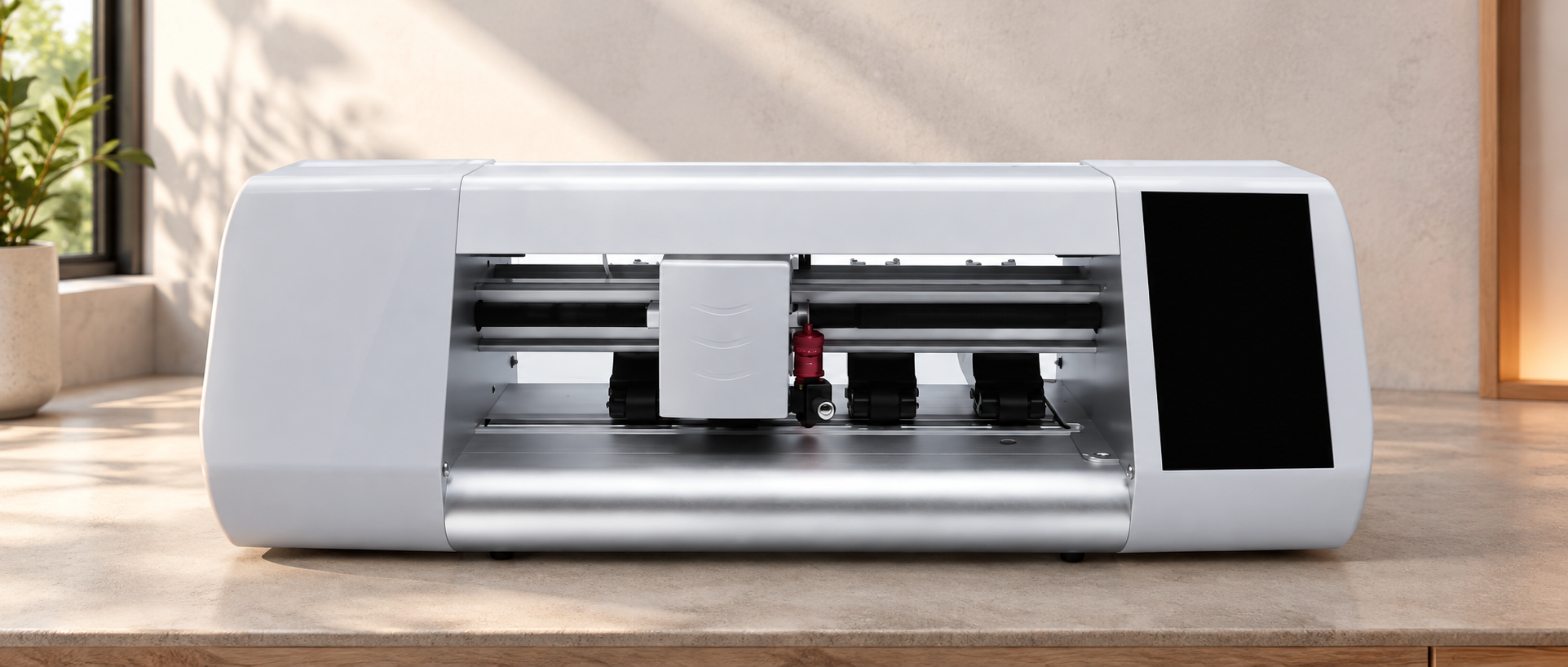
Screen protector cutting machine costs include the hardware, startup film and tools, any required cutting access, and delivery. Public offers show why a single “typical machine price” can mislead: one supplier sells a cutter with sample film and no recurring access fee; another sells a membership separately from its equipment and consumables.
| Offer | Published price and contents | What that price does not establish |
|---|---|---|
| HexShields ProCut 16-inch machine | $449.99. Listed contents: machine, two spare blades, a squeegee tool and a 25-count sample film pack. The seller advertises no subscription or cut credits. | The delivered checkout total, replenishment film cost and compatibility with your chosen film still need to be established. |
| Primo Direct Protect membership | $45 per month billed yearly, or $55 per month billed monthly. Benefits include an unlocked machine and member consumable pricing. Its purchase sequence lists machines and consumables separately. | The membership price is not the machine purchase price or a complete starter kit. Twelve months of membership is $540 on the annual rate or $660 on the monthly rate. |
To compare screen protector cutting machine costs, separate the purchasing model from the advertised price; these offers do not identify a cheaper equivalent system. For the HexShields offer, start with its hardware bundle and add the remaining charges. For Primo Protect, budget access alongside the separately purchased machine and film. “Unlocked machine” in a benefits list does not mean a machine is included free.
For JJT, the CS310 product page uses a quotation request rather than a public selling price. It identifies a built-in operating system and 210 mm maximum cutting width; neither specification establishes a subscription, credit or third-party film policy. A JJT price must identify the actual model, order quantity, starter supplies and delivery destination.
1.1 Separate opening cash from the cost of film you use
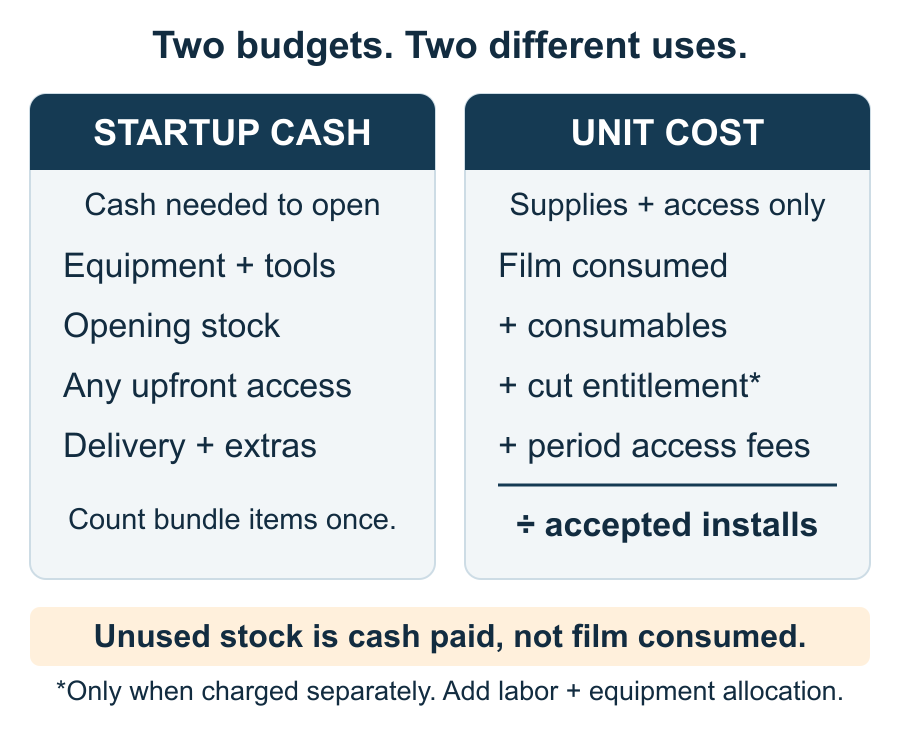
Opening cash = equipment bundle + additional opening stock and installation tools + access payable at startup + delivery and any charges outside the delivery quote. Count included film and tools once. Put unopened replenishment stock in the cash budget even though you have not used it yet.
Use one delivered total to the same US ZIP code when comparing offers. A factory or product-page price does not tell you whether freight, clearance or arrival charges are included. Record each included and excluded charge on the order confirmation rather than assuming the website price is your landed total. Keep a separate allowance for training sheets and a spare compatible blade so the first customer job does not depend on the last sample sheet.
2. Will I have to buy cuts, renew access or buy the supplier’s film?
Not every system charges for cuts, and not every system gives continued access with the hardware purchase. Treat three items separately: permission to run jobs, access to software and templates, and the film you can buy. A free app answers only the app-price question.
| Arrangement | What you pay for | Practical consequence |
|---|---|---|
| No metered cuts | Hardware and supplies; any other access charges depend on the named offer. | HexShields advertises no credits or subscription for ProCut. Mietubl’s MTB-CUT 180TPro Q&A also states no credits, subscriptions or annual fees. |
| Membership access | A recurring plan in addition to the purchased equipment and supplies. | Primo Protect links an unlocked machine and member pricing to membership. Cancellation and post-expiry access need their own terms; the price page alone does not settle them. |
| Film-box recharge | Film purchased with the recharge entitlement provided by that system. | BELEX’s High Pro support instructions say to recharge when opening a new box and retain the box until its film is used. Buying another brand’s sheets does not itself provide that box’s recharge code. |
2.1 Can I buy cheaper third-party film?
Only if the access rules allow it and the particular film works in your machine. Those are two separate checks. Mietubl explicitly allows third-party materials for the 180TPro, while noting that settings may need adjustment. That is a model-specific policy, not proof that every cutter accepts every sheet. A QR code can identify material or settings; its presence alone is not proof of a purchasing lock.
A cheaper sheet that you cannot authorize, cut or install successfully is not a usable saving. Resolve the purchasing rule before ordering bulk third-party film, then use the film compatibility and sample-test guide for the technical check. This article keeps material selection separate from the cost calculation.
2.2 What should the access terms actually say?
- Metered cuts: Record the initial balance, deduction trigger, test and failed-job treatment, next recharge pack’s price and size, expiry, and machine/account binding.
- Membership: Record the billing period, renewal and cancellation conditions, and what remains usable after the plan ends.
- Unspecified future fees: Mark them unresolved in the budget; an unstated renewal price is not zero.
For a second store or replacement cutter, entitlement transfer matters as much as the balance. Have the order identify who owns the login and whether the balance follows an account or serial number. “Unlimited cuts” does not by itself promise offline template access, free repairs or permission to share an account across stores.
3. What does each finished protector really cost?
Divide the cost of making accepted installations by accepted installations, not by cuts attempted. Film lost during training, miscuts and installation remakes still costs money. Use a month or a trial batch; track each film size and finish separately if their prices differ.
3.1 Start with supplies and access, then add labor and equipment
Supply and access cost per accepted installation = (film consumed + separately charged cutting entitlement + installation consumables + access fees for the period) ÷ accepted installations. If recharge entitlement comes with the film, count its bundle price once. For a cash forecast, also count whole packs you must buy and any unused balance; cash paid and supplies consumed can differ.
| Example monthly input | Calculation |
|---|---|
| 100 accepted installations, 110 sheets consumed | At an assumed $1.20 per sheet, film consumed costs $132; film alone is $1.32 per accepted installation. |
| Assumed installation consumables of $20 | ($132 + $20) ÷ 100 = $1.52 per accepted installation before access, labor and equipment. |
A separate real-price illustration: Primo’s published $55 monthly membership alone contributes $0.55 per installation at 100 accepted jobs, or $1.10 at 50. This is the fee allocation only; the hypothetical film table above does not quote Primo’s consumables. Recurring access has more weight at lower volume. Combine fees with the actual film invoice for the system you buy.
Next add total hands-on minutes × your loaded hourly labor cost ÷ 60 to get total labor cost for the period, including remakes and cleanup. Divide that total by accepted installations to get labor per installation, then add it to the per-installation supply and access amount. Add blade and other service costs on your chosen basis. If you allocate equipment over an expected number of accepted installations, divide the equipment-and-setup amount by that number and show the assumption separately. Allocating screen protector cutting machine costs over expected accepted installations is a planning assumption, not a promise of payback or an accounting depreciation schedule.
3.2 Use the first batch to replace guesses
Keep a batch record with:
- Sheets opened and sheets consumed, by SKU and finish.
- Accepted installations and remakes.
- Cuts deducted, with before-and-after balances around test jobs where applicable.
- Hands-on minutes, including cleanup and remakes.
- Actual film, consumable and access invoices for the period.
A clean cut and a successful installation are different events; count the finished customer result. Run the calculation again at a lower accepted volume before committing to a recurring plan or a larger replenishment order.
4. How much stock should I keep, and when should I reorder?
Reorder before usable film or usable entitlement runs out. A shelf full of sheets will not prevent downtime if the account has no cuts left. Keep separate balances for film stock and cutting access, and distinguish paid-for orders from stock actually received.
A practical film trigger is average sheets used per operating day × replenishment lead time in operating days + your reserve. Include test sheets and remakes in daily usage. For example, an assumed six sheets a day and ten operating days to replenish require 60 sheets before reserve; a 20-sheet reserve makes the trigger 80. These are planning inputs, not JJT delivery promises. Use observed delivery time, or the confirmed lead time until you have an order history.
Budget the actual replenishment pack and freight, not just a per-sheet headline. A minimum order can require more cash than the stock you expect to consume that month. Keep the approved film SKU, sheet size, pack quantity and blade part number with the reorder record so a lower-priced replacement does not silently change the setup.
For code-based replenishment, preserve the box and proof of purchase until its entitlement is resolved. BELEX’s support instructions note that a lost recharge code may take one to three days to reissue and that reissues have limits. That example shows why packaging and access records belong in stock control; it is not a JJT replacement-code service promise.
5. I paid, but the machine is locked or my recharge is missing. What next?
First identify whether the failure is payment, account activation, entitlement or cutting. Buying more film will not automatically fix a login problem, and adjusting blade pressure will not fix an access error. Use this order before spending again:
- Match the purchase to the machine. Check the invoice’s model and serial number against the unit, and confirm the expected plan or recharge quantity. Compare the account shown on the machine with the account used for the order.
- Check the recorded status. Keep the order confirmation and payment receipt. Note whether the account shows the plan as active and whether the credit balance changed. Photograph the exact error and record when it appeared.
- Follow that model’s activation or recharge instructions once. Check the required network connection and whether the code was already applied to another serial number. Use the supplier’s current procedure; another brand’s menu or activation steps are not interchangeable.
- Stop if the entitlement remains missing. Do not buy the same recharge again or factory-reset the device as a first response. Send the seller the order number, machine serial, account identifier, expected and displayed balance, and error screenshot through its established support channel. Request confirmation of the binding and whether the original purchase can be applied or corrected.
Mietubl’s published activation guide, for example, treats network activation and machine identification as support issues. Its older interface instructions should not be applied to a different brand or assumed to describe every current model. The steps above are an evidence checklist, not a remote diagnosis or a guaranteed refund.