1. Foldable screen protector peeling: inner or outer screen?
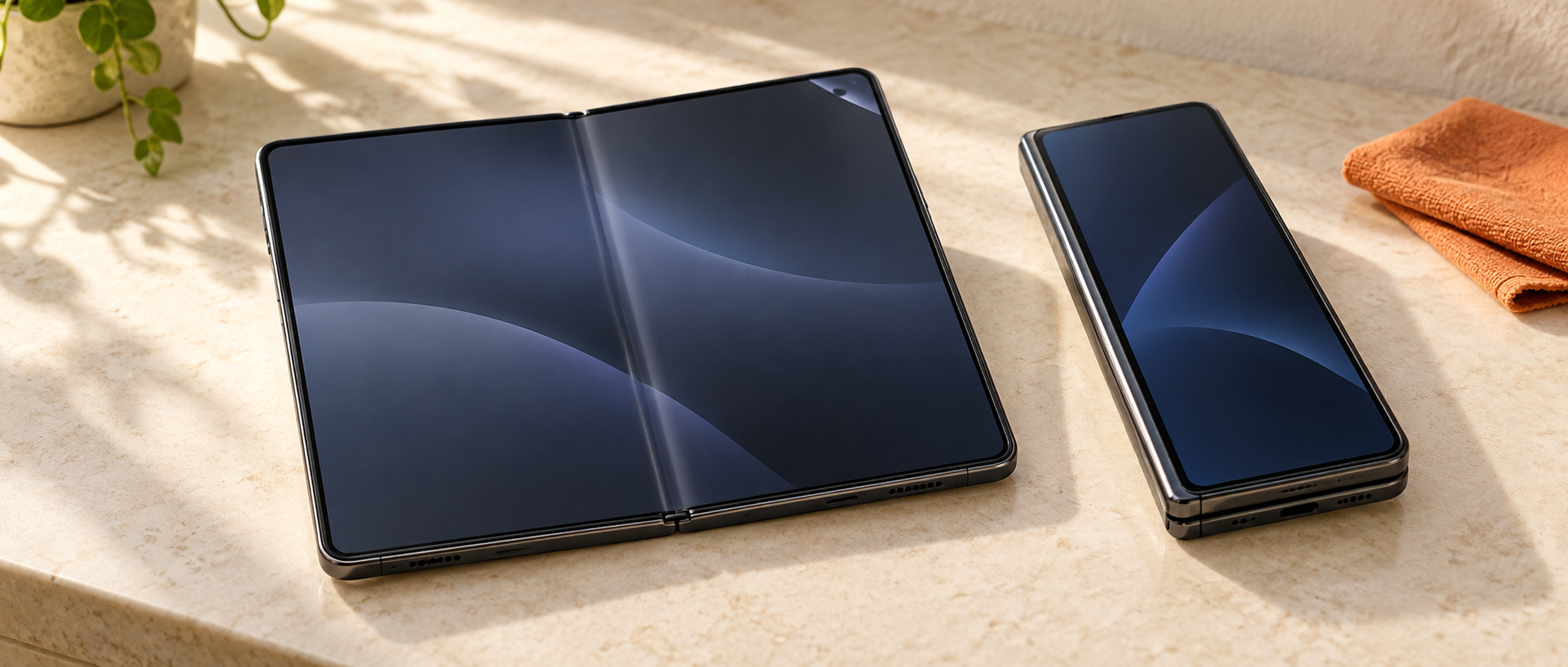
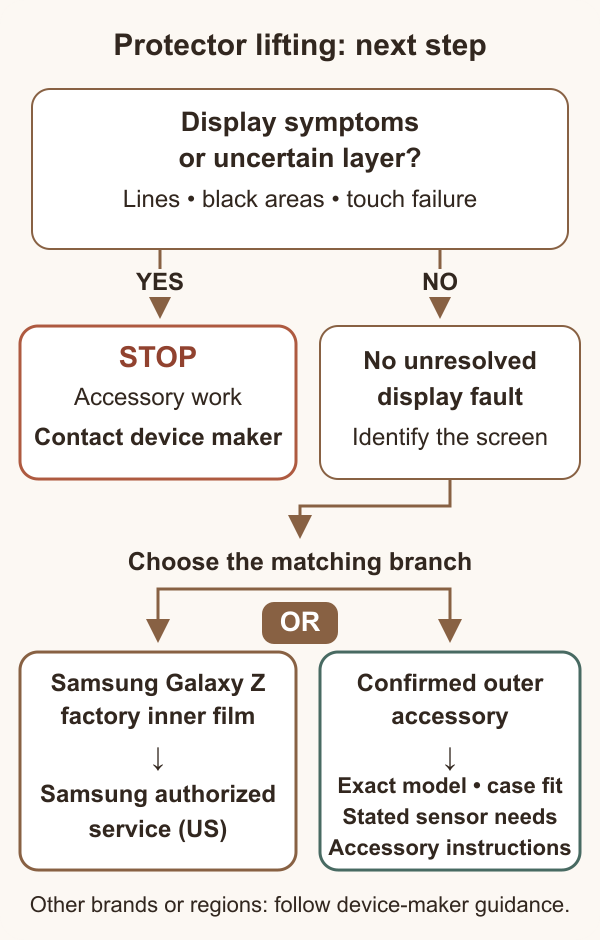
For foldable screen protector peeling, identify the affected screen before buying a replacement. A lifting factory film on the folding inner display needs a different response from a separately installed protector on the outer cover display. For Samsung Galaxy Z phones in the US, Samsung recommends authorized service for the inner protector and advises against removing or applying it yourself.
At a repair counter, record the exact model and generation, which screen is affected, and who installed the protector. Look without lifting an edge. If the customer cannot identify the layer, keep it in place until the device maker or an authorized provider checks it.
- Factory inner-screen film: follow the model’s official service instructions; an accessory order is not the first step.
- Known aftermarket outer-screen protector: check display condition, case clearance and that accessory’s installation instructions.
- Lines, dark spots or changed touch response on either screen: arrange a display assessment before treating the problem as film lifting.
The rest of this guide explains the Samsung US service route and a practical intake process for stores. For another brand or purchase region, check that manufacturer’s instructions for the exact device; Samsung’s prices and eligibility do not carry over.
1.1 Set the repair-counter job scope
Before quoting, identify the job as an inner-film service referral, a display assessment or a confirmed outer-accessory replacement. Record who will handle the next step and what the customer has agreed to. If your store lacks the manufacturer’s authorization and process for inner-film service, refer that work to the official provider. Keep the eventual referral or accessory SKU, job date and follow-up contact route in the same intake record.
2. Is it only lifting film, or does the display need inspection?
A visible bubble or raised edge does not confirm that the display underneath is healthy. Record film appearance separately from what the screen shows and how it responds. Do not peel the film back to inspect underneath or press the crease to try to flatten it.
Samsung’s display-damage guide identifies black or ink-like marks, abnormal lines and unusual colors as possible display damage and recommends professional inspection. A touch problem or an area that no longer displays normally also needs assessment; replacing film should not be promised as a fix.
- Only a visible film edge or bubble: photograph it as found, note whether normal display and touch behavior are reported, and arrange the appropriate protector service.
- A line, dark area, flicker or touch change: stop accessory work and describe the additional symptom to device support.
- Uncertain layer or condition: leave it intact and request inspection. A photo cannot establish the failed layer or cause.
For a return after a store installation, keep the original job record and before-and-after photos. Separate what staff observed from the customer’s report, including any impact or prior repair. This gives the service provider useful evidence without prematurely calling the fault “bad adhesive.”
3. Can I remove or replace a Samsung inner-screen protector myself?
Samsung US says to use its authorized service route. Its Galaxy Z protector application guidance explains that the factory main-screen protector is designed for repeated folding and that specialists use the proper equipment to align and apply its replacement. An inner-screen job should not be treated as a routine flat-screen accessory installation.
Keep the existing film in place while arranging support. Do not add another protector over it, cut a substitute from generic film or use pressure, heat or solvent to attempt an inner-screen repair. Samsung’s foldable-phone care guidance warns against removing the protective main-screen layer or attaching adhesive accessories there.
The care page includes courtesy self-removal information, but explicitly says Samsung does not recommend or authorize user removal. It also says damage caused by user removal or a non-authorized provider is not covered by its Standard Limited Warranty. That is a specific damage exclusion, not a statement that every warranty right disappears if a protector is removed.
A material label such as TPU or “hydrogel,” or a cutting template with a foldable model’s name, does not prove approval for its factory inner-screen assembly. For non-Samsung phones, obtain the device maker’s model-specific instructions before accepting an inner-screen job.
4. Where can a US Galaxy Z owner get service, and what does it cost?
Start with Samsung US Request a Repair or its authorized service-location finder. Confirm that the chosen location handles the exact model and inner-protector application before traveling. Ask about an appointment or mail-in option, what to do with the phone while waiting, and any preparation required before handoff.
4.1 Check eligibility before promising a free replacement
As checked on October 12, 2026, Samsung’s US promotion terms offer qualifying original retail end users one eligible inner-screen protector replacement within one year of qualifying purchase or activation. Listed models, US purchase requirements, proof of purchase and inspection conditions apply. This does not cover the outside-screen protector or other repairs.
The terms list subsequent protector replacements at $19.99 plus tax, with prices that may vary by region or authorized store. Get the provider’s current price for the actual device. A display repair is a separate service and should not be quoted at the protector-application price.
For retailers, the distinction matters: the promotion excludes requests by commercial service or repair providers and bulk quantities. Direct the eligible owner to Samsung; do not sell a batch service on the assumption that customer devices will qualify for free applications. Where a FAQ sounds broader than the promotion terms, the terms state that they take precedence.
4.2 Prepare a useful service request
- Record the model, purchase or activation date, seller and purchase country. Have the receipt and device-identifying information ready for the official service provider.
- Take a photo of the entire affected screen and a closer view of the lifting, without pulling the film back. Describe display or touch symptoms separately.
- Confirm the service offered, current fee, eligibility and appointment requirements. Ask how the provider will handle additional damage found during inspection.
If lifting appears after an authorized application, contact the provider promptly with the service date and photos. Samsung’s application FAQ describes a return within seven days for a complimentary replacement, with possible charges for physical damage unrelated to installation. The promotion terms define the limited follow-up coverage for a no-cost application; verify that the customer’s case qualifies.
5. What should I check before replacing an outer-screen protector?
Confirm that it is a separately installed outer-screen accessory and that the display has no unresolved fault. Then use that accessory’s replacement and installation instructions. If the layer is uncertain or the screen has abnormal lines, dark areas or touch problems, resolve the service question first.
For ordering and installation, use a short acceptance checklist:
- Exact fit: match the device model and generation, with “outer” or “cover screen” explicitly stated on the item or cutting template.
- Case clearance: check the actual customer’s case, edge coverage and cutouts. Note any edge contact rather than assuming adhesive is the cause.
- Installation method: confirm the specified cleaning, alignment and application process for the exact accessory. Do not transfer the method to the folding inner screen.
- Finished result: inspect edge seating, clarity and touch response, including any device-specific sensor requirement stated by the manufacturer.
- Return evidence: keep the SKU or film batch, template, installation date, case model and photos if the customer returns with lifting.
If a new outer protector lifts again, compare the location of the lift with case contact and the recorded fit. Follow the accessory’s support instructions before repeating the same installation. One successful outer-screen sample does not establish inner-screen suitability or compatibility with every phone in the series.
For an outer-screen stocking or wholesale inquiry to JJT, send the model list, cover-screen position, preferred finish, quantity, destination market and case-fit requirements. Request the proposed SKU or template and samples for that use, then approve the actual device-and-case fit before a larger order. This is an accessory sourcing request; it does not establish OEM approval for factory inner-film service.